JammuKashmirInfo

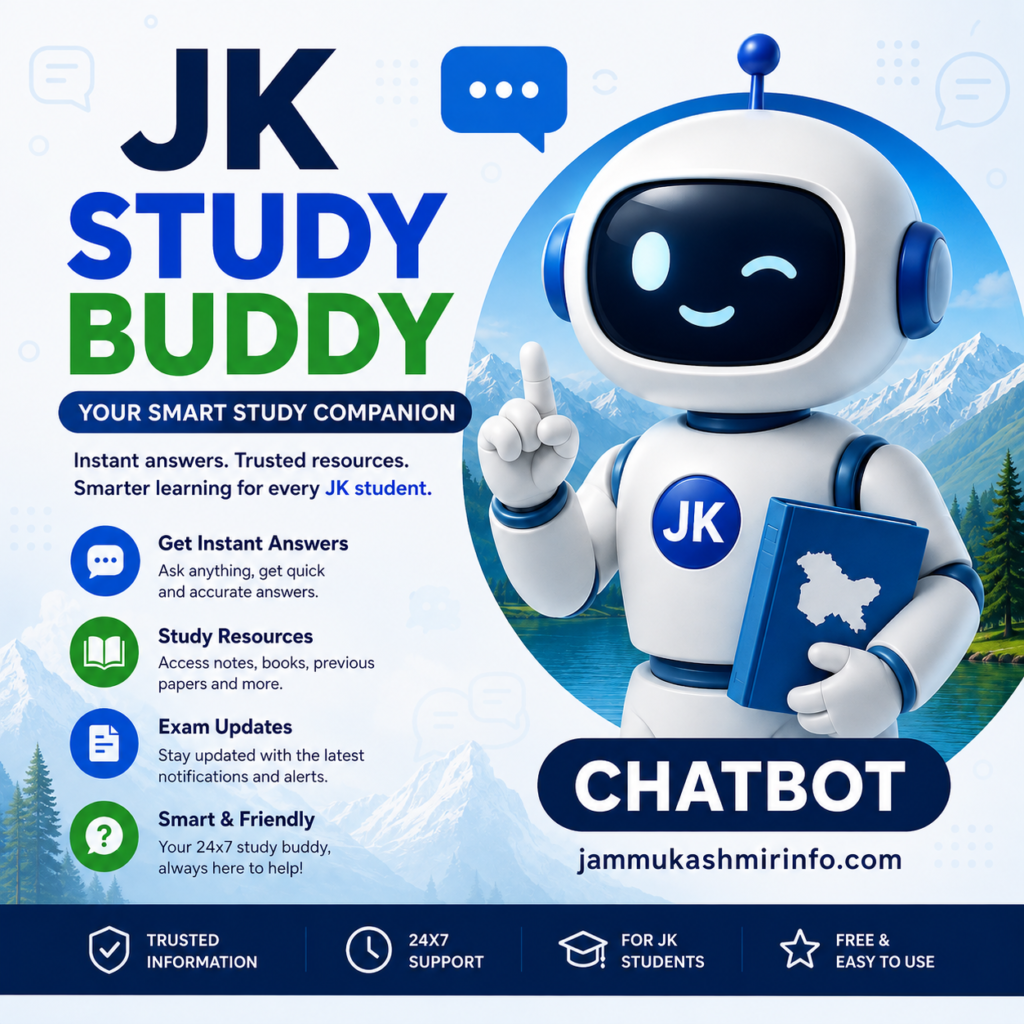
JK STUDY BUDDY

Blog, JK STUDY BUDDY

JK STUDY BUDDY CLASS 5 WEEKLY QUIZ SUBJECT MATH

JK STUDY BUDDY CLASS 8 WEEKLY QUIZ SUBJECT MATH JK Study Buddy Chatbot on SwiftChat: Registration, Practice Tests & Benefits JK Study Buddy Chatbot is a digital learning initiative being implemented in Jammu and Kashmir through the education department’s Vidya Samiksha Kendra (VSK) ecosystem. The chatbot is available through the SwiftChat app and is designed to help students practise lessons, assess their understanding and improve learning through regular practice and remedial content. The initiative has become an important part of technology-enabled education in J&K, particularly for students in Classes 1 to 8. In September 2025, an orientation session in Srinagar highlighted weekly practice tests through the JK Study Buddy Chatbot and the use of student scores to monitor learning progress. What is JK Study Buddy Chatbot? JK Study Buddy is a digital practice and learning chatbot designed for school students in Jammu and Kashmir. Students can use the chatbot to attempt questions related to topics that have already been taught in their classrooms. According to the available JK Study Buddy user manual, students receive 2–3 subjects every Saturday, with around 10–15 questions per subject. These questions remain available during the practice period until the following Friday. The system provides students with immediate feedback after completing their practice. Students can view the answer key and, where available, access remedial videos for questions they answered incorrectly. This makes JK Study Buddy useful not only for testing knowledge but also for identifying learning gaps. JK Study Buddy and Vidya Samiksha Kendra JK Study Buddy is part of the wider digital education initiatives associated with Vidya Samiksha Kendra (VSK) in Jammu and Kashmir. VSK is intended to support data-driven educational monitoring and decision-making. During an orientation programme in Srinagar, education officials highlighted the use of student registration data, practice-test participation and average scores from JK Study Buddy to monitor educational progress. The School Education Department has also been reviewing the progress of JK Study Buddy as part of its digital initiatives. In a November 2025 review meeting in Jammu, the Director School Education Jammu reviewed the progress of the chatbot and directed officials to ensure timely completion of digital processes. Who Can Use JK Study Buddy? JK Study Buddy is primarily intended for school students, with the available programme information specifically referring to students from Classes 1 to 8. The chatbot can be useful for: Main Features of JK Study Buddy 1. Weekly Practice Questions Students can receive practice questions on selected subjects every week. The questions are intended to relate to topics already covered in classroom teaching. 2. Multiple Subjects The user manual indicates that students receive approximately 2–3 subjects every Saturday, with around 10–15 questions per subject. 3. Instant Answer Key After completing the practice, students can access the answer key. This helps them identify which questions they answered correctly and where they need improvement. 4. Remedial Learning Videos One of the most useful features is the availability of remedial videos following practice. These resources are intended to help students understand concepts related to questions they answered incorrectly. 5. Learning Through Practice The chatbot encourages students to follow a simple cycle: Learn → Practise → Check Answers → Identify Mistakes → Watch Remedial Content → Improve This can help make revision a regular part of students’ learning routine. How to Register for JK Study Buddy on SwiftChat Students can access JK Study Buddy through the SwiftChat app. SwiftChat is an educational chatbot platform developed by ConveGenius and is available through major mobile app platforms. The current Google Play listing describes SwiftChat as a platform containing educational bots, practice activities, videos and other learning resources. Step 1: Install SwiftChat Download and install the SwiftChat app on your smartphone. Download SwiftChat from Google Play Step 2: Register Your Mobile Number Open SwiftChat and enter your mobile number. Complete the verification process using the OTP received on your phone. Step 3: Explore Educational Bots After verification, open the bot section and look for the Jammu & Kashmir Study Buddy Bot. Step 4: Select Language Choose the appropriate language or medium available to you. Step 5: Enter School UDISE Code The registration process requires the student’s School UDISE Code. Make sure the correct school UDISE code is entered. Step 6: Enter Student Details Students may be required to select or enter details such as: After completing the registration process, the student can access the JK Study Buddy home menu. How to Attempt JK Study Buddy Practice Tests After registration, students can follow the chatbot instructions to start practising. The user manual indicates that students can also manage student profiles and change the medium of instruction through the chatbot interface. Why Should Students Use JK Study Buddy? Regular use of JK Study Buddy can help students develop a habit of revision and self-assessment. For Students It provides an opportunity to practise questions regularly and identify areas where additional study may be required. For Teachers Student participation and performance data can help teachers understand learning gaps and plan appropriate classroom interventions. For Parents Parents can encourage children to complete their weekly practice activities and use remedial content when required. For Schools School-level participation and performance information can contribute to monitoring learning outcomes and improving academic support. JK Study Buddy vs Traditional Revision Traditional revision often depends on notebooks, worksheets and classroom tests. JK Study Buddy adds a digital component to this process. Traditional Revision JK Study Buddy Usually classroom-based Digital and mobile-based Teacher checks answers Instant answer key available Remedial support may take time Supporting videos can be provided Periodic tests Regular practice Manual monitoring Digital participation and performance data The chatbot should not be viewed as a replacement for teachers or classroom learning. Instead, it can serve as an additional practice and revision tool. JK Study Buddy for Classes 1 to 8 The programme has specifically been associated with weekly practice for students from Classes 1 to 8. Education officials in Srinagar have directed schools to ensure participation in weekly practice tests and have emphasized analysing

Blog, JK STUDY BUDDY

JK STUDY BUDDY CLASS 5 WEEKLY QUIZ SUBJECT ENGLISH

JK STUDY BUDDY CLASS 8 WEEKLY QUIZ SUBJECT ENGLISH Teamwork Quiz — Week 62 J&K Weekly Practice · Week 62 · Class 5 · English Teamwork, Teamwork! Read the poem, pass the baton, and answer all 12 questions. Student name Please enter the student’s name. Roll number Please enter a roll number. Subject teacher’s name Please enter the teacher’s name. School name Please enter the school name. Teamwork, teamwork, together we can make our dream work. It’s fun to shoot the basketball through the hoop, but if nobody passes then nobody shoots. And the relay race just can’t go on, if nobody wants to pass the baton — when a you or a me becomes an us! Start the quiz → QUESTION 1 / 12 SCORE 0 show the poem ▾ Teamwork, teamwork,Together we can make our dream work. Then we’ll share the joy of what we’ve done, teamwork, everyone! It’s fun to shoot the basketball through the hoop, but if nobody passes then nobody shoots. And the relay race just can’t go on, if nobody wants to pass the baton. We’re the parts that make up the whole, and we’ve got our eyes on a common goal. Sometimes it can be a big plus, when a you or a me becomes an us! Select an answer to continue 0/12 0% CORRECT Retake quiz Download result PDF jammukashmirinfo.com · based on ConveGenius J&K Weekly Practice, Week 62 JK Study Buddy Chatbot on SwiftChat: Registration, Practice Tests & Benefits JK Study Buddy Chatbot is a digital learning initiative being implemented in Jammu and Kashmir through the education department’s Vidya Samiksha Kendra (VSK) ecosystem. The chatbot is available through the SwiftChat app and is designed to help students practise lessons, assess their understanding and improve learning through regular practice and remedial content. The initiative has become an important part of technology-enabled education in J&K, particularly for students in Classes 1 to 8. In September 2025, an orientation session in Srinagar highlighted weekly practice tests through the JK Study Buddy Chatbot and the use of student scores to monitor learning progress. What is JK Study Buddy Chatbot? JK Study Buddy is a digital practice and learning chatbot designed for school students in Jammu and Kashmir. Students can use the chatbot to attempt questions related to topics that have already been taught in their classrooms. According to the available JK Study Buddy user manual, students receive 2–3 subjects every Saturday, with around 10–15 questions per subject. These questions remain available during the practice period until the following Friday. The system provides students with immediate feedback after completing their practice. Students can view the answer key and, where available, access remedial videos for questions they answered incorrectly. This makes JK Study Buddy useful not only for testing knowledge but also for identifying learning gaps. JK Study Buddy and Vidya Samiksha Kendra JK Study Buddy is part of the wider digital education initiatives associated with Vidya Samiksha Kendra (VSK) in Jammu and Kashmir. VSK is intended to support data-driven educational monitoring and decision-making. During an orientation programme in Srinagar, education officials highlighted the use of student registration data, practice-test participation and average scores from JK Study Buddy to monitor educational progress. The School Education Department has also been reviewing the progress of JK Study Buddy as part of its digital initiatives. In a November 2025 review meeting in Jammu, the Director School Education Jammu reviewed the progress of the chatbot and directed officials to ensure timely completion of digital processes. Who Can Use JK Study Buddy? JK Study Buddy is primarily intended for school students, with the available programme information specifically referring to students from Classes 1 to 8. The chatbot can be useful for: Main Features of JK Study Buddy 1. Weekly Practice Questions Students can receive practice questions on selected subjects every week. The questions are intended to relate to topics already covered in classroom teaching. 2. Multiple Subjects The user manual indicates that students receive approximately 2–3 subjects every Saturday, with around 10–15 questions per subject. 3. Instant Answer Key After completing the practice, students can access the answer key. This helps them identify which questions they answered correctly and where they need improvement. 4. Remedial Learning Videos One of the most useful features is the availability of remedial videos following practice. These resources are intended to help students understand concepts related to questions they answered incorrectly. 5. Learning Through Practice The chatbot encourages students to follow a simple cycle: Learn → Practise → Check Answers → Identify Mistakes → Watch Remedial Content → Improve This can help make revision a regular part of students’ learning routine. How to Register for JK Study Buddy on SwiftChat Students can access JK Study Buddy through the SwiftChat app. SwiftChat is an educational chatbot platform developed by ConveGenius and is available through major mobile app platforms. The current Google Play listing describes SwiftChat as a platform containing educational bots, practice activities, videos and other learning resources. Step 1: Install SwiftChat Download and install the SwiftChat app on your smartphone. Download SwiftChat from Google Play Step 2: Register Your Mobile Number Open SwiftChat and enter your mobile number. Complete the verification process using the OTP received on your phone. Step 3: Explore Educational Bots After verification, open the bot section and look for the Jammu & Kashmir Study Buddy Bot. Step 4: Select Language Choose the appropriate language or medium available to you. Step 5: Enter School UDISE Code The registration process requires the student’s School UDISE Code. Make sure the correct school UDISE code is entered. Step 6: Enter Student Details Students may be required to select or enter details such as: After completing the registration process, the student can access the JK Study Buddy home menu. How to Attempt JK Study Buddy Practice Tests After registration, students can follow the chatbot instructions to start practising. The user manual indicates that students can also manage student profiles and change the medium of instruction through the

Blog, JK STUDY BUDDY

JK STUDY BUDDY CLASS 8 WEEKLY QUIZ SUBJECT MATH

JK STUDY BUDDY CLASS 8 WEEKLY QUIZ SUBJECT MATH ConveGenius · J&K Weekly Practice Week 62 · Class 8 · Maths Square roots & algebraic expressions — 12 questions Student name Roll number Subject teacher School name Start quiz Your details appear on the report generated after you submit the quiz. All four fields are required. Question 1 of 12 Score: 0 Next question 0/12 0% correct Retake quiz Download PDF report ConveGenius · J&K Weekly Practice Week 62 · Class 8 · Maths Square roots & algebraic expressions JK Study Buddy Chatbot on SwiftChat: Registration, Practice Tests & Benefits JK Study Buddy Chatbot is a digital learning initiative being implemented in Jammu and Kashmir through the education department’s Vidya Samiksha Kendra (VSK) ecosystem. The chatbot is available through the SwiftChat app and is designed to help students practise lessons, assess their understanding and improve learning through regular practice and remedial content. The initiative has become an important part of technology-enabled education in J&K, particularly for students in Classes 1 to 8. In September 2025, an orientation session in Srinagar highlighted weekly practice tests through the JK Study Buddy Chatbot and the use of student scores to monitor learning progress. What is JK Study Buddy Chatbot? JK Study Buddy is a digital practice and learning chatbot designed for school students in Jammu and Kashmir. Students can use the chatbot to attempt questions related to topics that have already been taught in their classrooms. According to the available JK Study Buddy user manual, students receive 2–3 subjects every Saturday, with around 10–15 questions per subject. These questions remain available during the practice period until the following Friday. The system provides students with immediate feedback after completing their practice. Students can view the answer key and, where available, access remedial videos for questions they answered incorrectly. This makes JK Study Buddy useful not only for testing knowledge but also for identifying learning gaps. JK Study Buddy and Vidya Samiksha Kendra JK Study Buddy is part of the wider digital education initiatives associated with Vidya Samiksha Kendra (VSK) in Jammu and Kashmir. VSK is intended to support data-driven educational monitoring and decision-making. During an orientation programme in Srinagar, education officials highlighted the use of student registration data, practice-test participation and average scores from JK Study Buddy to monitor educational progress. The School Education Department has also been reviewing the progress of JK Study Buddy as part of its digital initiatives. In a November 2025 review meeting in Jammu, the Director School Education Jammu reviewed the progress of the chatbot and directed officials to ensure timely completion of digital processes. Who Can Use JK Study Buddy? JK Study Buddy is primarily intended for school students, with the available programme information specifically referring to students from Classes 1 to 8. The chatbot can be useful for: Main Features of JK Study Buddy 1. Weekly Practice Questions Students can receive practice questions on selected subjects every week. The questions are intended to relate to topics already covered in classroom teaching. 2. Multiple Subjects The user manual indicates that students receive approximately 2–3 subjects every Saturday, with around 10–15 questions per subject. 3. Instant Answer Key After completing the practice, students can access the answer key. This helps them identify which questions they answered correctly and where they need improvement. 4. Remedial Learning Videos One of the most useful features is the availability of remedial videos following practice. These resources are intended to help students understand concepts related to questions they answered incorrectly. 5. Learning Through Practice The chatbot encourages students to follow a simple cycle: Learn → Practise → Check Answers → Identify Mistakes → Watch Remedial Content → Improve This can help make revision a regular part of students’ learning routine. How to Register for JK Study Buddy on SwiftChat Students can access JK Study Buddy through the SwiftChat app. SwiftChat is an educational chatbot platform developed by ConveGenius and is available through major mobile app platforms. The current Google Play listing describes SwiftChat as a platform containing educational bots, practice activities, videos and other learning resources. Step 1: Install SwiftChat Download and install the SwiftChat app on your smartphone. Download SwiftChat from Google Play Step 2: Register Your Mobile Number Open SwiftChat and enter your mobile number. Complete the verification process using the OTP received on your phone. Step 3: Explore Educational Bots After verification, open the bot section and look for the Jammu & Kashmir Study Buddy Bot. Step 4: Select Language Choose the appropriate language or medium available to you. Step 5: Enter School UDISE Code The registration process requires the student’s School UDISE Code. Make sure the correct school UDISE code is entered. Step 6: Enter Student Details Students may be required to select or enter details such as: After completing the registration process, the student can access the JK Study Buddy home menu. How to Attempt JK Study Buddy Practice Tests After registration, students can follow the chatbot instructions to start practising. The user manual indicates that students can also manage student profiles and change the medium of instruction through the chatbot interface. Why Should Students Use JK Study Buddy? Regular use of JK Study Buddy can help students develop a habit of revision and self-assessment. For Students It provides an opportunity to practise questions regularly and identify areas where additional study may be required. For Teachers Student participation and performance data can help teachers understand learning gaps and plan appropriate classroom interventions. For Parents Parents can encourage children to complete their weekly practice activities and use remedial content when required. For Schools School-level participation and performance information can contribute to monitoring learning outcomes and improving academic support. JK Study Buddy vs Traditional Revision Traditional revision often depends on notebooks, worksheets and classroom tests. JK Study Buddy adds a digital component to this process. Traditional Revision JK Study Buddy Usually classroom-based Digital and mobile-based Teacher checks answers Instant answer key available Remedial support may take time Supporting videos can

Blog, JK STUDY BUDDY

JK STUDY BUDDY CLASS 8 WEEKLY QUIZ SUBJECT ENGLISH

JK STUDY BUDDY CLASS 8 WEEKLY QUIZ SUBJECT ENGLISH J&K Weekly Practice — Class 8 English JK Study Buddy Chatbot on SwiftChat: Registration, Practice Tests & Benefits JK Study Buddy Chatbot is a digital learning initiative being implemented in Jammu and Kashmir through the education department’s Vidya Samiksha Kendra (VSK) ecosystem. The chatbot is available through the SwiftChat app and is designed to help students practise lessons, assess their understanding and improve learning through regular practice and remedial content. The initiative has become an important part of technology-enabled education in J&K, particularly for students in Classes 1 to 8. In September 2025, an orientation session in Srinagar highlighted weekly practice tests through the JK Study Buddy Chatbot and the use of student scores to monitor learning progress. What is JK Study Buddy Chatbot? JK Study Buddy is a digital practice and learning chatbot designed for school students in Jammu and Kashmir. Students can use the chatbot to attempt questions related to topics that have already been taught in their classrooms. According to the available JK Study Buddy user manual, students receive 2–3 subjects every Saturday, with around 10–15 questions per subject. These questions remain available during the practice period until the following Friday. The system provides students with immediate feedback after completing their practice. Students can view the answer key and, where available, access remedial videos for questions they answered incorrectly. This makes JK Study Buddy useful not only for testing knowledge but also for identifying learning gaps. JK Study Buddy and Vidya Samiksha Kendra JK Study Buddy is part of the wider digital education initiatives associated with Vidya Samiksha Kendra (VSK) in Jammu and Kashmir. VSK is intended to support data-driven educational monitoring and decision-making. During an orientation programme in Srinagar, education officials highlighted the use of student registration data, practice-test participation and average scores from JK Study Buddy to monitor educational progress. The School Education Department has also been reviewing the progress of JK Study Buddy as part of its digital initiatives. In a November 2025 review meeting in Jammu, the Director School Education Jammu reviewed the progress of the chatbot and directed officials to ensure timely completion of digital processes. Who Can Use JK Study Buddy? JK Study Buddy is primarily intended for school students, with the available programme information specifically referring to students from Classes 1 to 8. The chatbot can be useful for: Main Features of JK Study Buddy 1. Weekly Practice Questions Students can receive practice questions on selected subjects every week. The questions are intended to relate to topics already covered in classroom teaching. 2. Multiple Subjects The user manual indicates that students receive approximately 2–3 subjects every Saturday, with around 10–15 questions per subject. 3. Instant Answer Key After completing the practice, students can access the answer key. This helps them identify which questions they answered correctly and where they need improvement. 4. Remedial Learning Videos One of the most useful features is the availability of remedial videos following practice. These resources are intended to help students understand concepts related to questions they answered incorrectly. 5. Learning Through Practice The chatbot encourages students to follow a simple cycle: Learn → Practise → Check Answers → Identify Mistakes → Watch Remedial Content → Improve This can help make revision a regular part of students’ learning routine. How to Register for JK Study Buddy on SwiftChat Students can access JK Study Buddy through the SwiftChat app. SwiftChat is an educational chatbot platform developed by ConveGenius and is available through major mobile app platforms. The current Google Play listing describes SwiftChat as a platform containing educational bots, practice activities, videos and other learning resources. Step 1: Install SwiftChat Download and install the SwiftChat app on your smartphone. Download SwiftChat from Google Play Step 2: Register Your Mobile Number Open SwiftChat and enter your mobile number. Complete the verification process using the OTP received on your phone. Step 3: Explore Educational Bots After verification, open the bot section and look for the Jammu & Kashmir Study Buddy Bot. Step 4: Select Language Choose the appropriate language or medium available to you. Step 5: Enter School UDISE Code The registration process requires the student’s School UDISE Code. Make sure the correct school UDISE code is entered. Step 6: Enter Student Details Students may be required to select or enter details such as: After completing the registration process, the student can access the JK Study Buddy home menu. How to Attempt JK Study Buddy Practice Tests After registration, students can follow the chatbot instructions to start practising. The user manual indicates that students can also manage student profiles and change the medium of instruction through the chatbot interface. Why Should Students Use JK Study Buddy? Regular use of JK Study Buddy can help students develop a habit of revision and self-assessment. For Students It provides an opportunity to practise questions regularly and identify areas where additional study may be required. For Teachers Student participation and performance data can help teachers understand learning gaps and plan appropriate classroom interventions. For Parents Parents can encourage children to complete their weekly practice activities and use remedial content when required. For Schools School-level participation and performance information can contribute to monitoring learning outcomes and improving academic support. JK Study Buddy vs Traditional Revision Traditional revision often depends on notebooks, worksheets and classroom tests. JK Study Buddy adds a digital component to this process. Traditional Revision JK Study Buddy Usually classroom-based Digital and mobile-based Teacher checks answers Instant answer key available Remedial support may take time Supporting videos can be provided Periodic tests Regular practice Manual monitoring Digital participation and performance data The chatbot should not be viewed as a replacement for teachers or classroom learning. Instead, it can serve as an additional practice and revision tool. JK Study Buddy for Classes 1 to 8 The programme has specifically been associated with weekly practice for students from Classes 1 to 8. Education officials in Srinagar have directed schools to ensure participation in

Blog, JK STUDY BUDDY

JK STUDY BUDDY CLASS 1 WEEKLY QUIZ SUBJECT MATH

JK STUDY BUDDY CLASS 1 WEEKLY QUIZ SUBJECT ENGLISH J&K Weekly Practice — Week 62, Class 1 CG J&K Weekly Practice Week 62 · Class 1 · Maths (English) · 01/08/2026 Before you begin Student name Roll number Subject teacher name School name Start quiz 12 questions · pick one answer for each Q1 / 12 Question 1 Next question Quiz complete 0 out of 12 correct Well done! Download result PDF Show answer review JK Study Buddy Chatbot on SwiftChat: Registration, Practice Tests & Benefits JK Study Buddy Chatbot is a digital learning initiative being implemented in Jammu and Kashmir through the education department’s Vidya Samiksha Kendra (VSK) ecosystem. The chatbot is available through the SwiftChat app and is designed to help students practise lessons, assess their understanding and improve learning through regular practice and remedial content. The initiative has become an important part of technology-enabled education in J&K, particularly for students in Classes 1 to 8. In September 2025, an orientation session in Srinagar highlighted weekly practice tests through the JK Study Buddy Chatbot and the use of student scores to monitor learning progress. What is JK Study Buddy Chatbot? JK Study Buddy is a digital practice and learning chatbot designed for school students in Jammu and Kashmir. Students can use the chatbot to attempt questions related to topics that have already been taught in their classrooms. According to the available JK Study Buddy user manual, students receive 2–3 subjects every Saturday, with around 10–15 questions per subject. These questions remain available during the practice period until the following Friday. The system provides students with immediate feedback after completing their practice. Students can view the answer key and, where available, access remedial videos for questions they answered incorrectly. This makes JK Study Buddy useful not only for testing knowledge but also for identifying learning gaps. JK Study Buddy and Vidya Samiksha Kendra JK Study Buddy is part of the wider digital education initiatives associated with Vidya Samiksha Kendra (VSK) in Jammu and Kashmir. VSK is intended to support data-driven educational monitoring and decision-making. During an orientation programme in Srinagar, education officials highlighted the use of student registration data, practice-test participation and average scores from JK Study Buddy to monitor educational progress. The School Education Department has also been reviewing the progress of JK Study Buddy as part of its digital initiatives. In a November 2025 review meeting in Jammu, the Director School Education Jammu reviewed the progress of the chatbot and directed officials to ensure timely completion of digital processes. Who Can Use JK Study Buddy? JK Study Buddy is primarily intended for school students, with the available programme information specifically referring to students from Classes 1 to 8. The chatbot can be useful for: Main Features of JK Study Buddy 1. Weekly Practice Questions Students can receive practice questions on selected subjects every week. The questions are intended to relate to topics already covered in classroom teaching. 2. Multiple Subjects The user manual indicates that students receive approximately 2–3 subjects every Saturday, with around 10–15 questions per subject. 3. Instant Answer Key After completing the practice, students can access the answer key. This helps them identify which questions they answered correctly and where they need improvement. 4. Remedial Learning Videos One of the most useful features is the availability of remedial videos following practice. These resources are intended to help students understand concepts related to questions they answered incorrectly. 5. Learning Through Practice The chatbot encourages students to follow a simple cycle: Learn → Practise → Check Answers → Identify Mistakes → Watch Remedial Content → Improve This can help make revision a regular part of students’ learning routine. How to Register for JK Study Buddy on SwiftChat Students can access JK Study Buddy through the SwiftChat app. SwiftChat is an educational chatbot platform developed by ConveGenius and is available through major mobile app platforms. The current Google Play listing describes SwiftChat as a platform containing educational bots, practice activities, videos and other learning resources. Step 1: Install SwiftChat Download and install the SwiftChat app on your smartphone. Download SwiftChat from Google Play Step 2: Register Your Mobile Number Open SwiftChat and enter your mobile number. Complete the verification process using the OTP received on your phone. Step 3: Explore Educational Bots After verification, open the bot section and look for the Jammu & Kashmir Study Buddy Bot. Step 4: Select Language Choose the appropriate language or medium available to you. Step 5: Enter School UDISE Code The registration process requires the student’s School UDISE Code. Make sure the correct school UDISE code is entered. Step 6: Enter Student Details Students may be required to select or enter details such as: After completing the registration process, the student can access the JK Study Buddy home menu. How to Attempt JK Study Buddy Practice Tests After registration, students can follow the chatbot instructions to start practising. The user manual indicates that students can also manage student profiles and change the medium of instruction through the chatbot interface. Why Should Students Use JK Study Buddy? Regular use of JK Study Buddy can help students develop a habit of revision and self-assessment. For Students It provides an opportunity to practise questions regularly and identify areas where additional study may be required. For Teachers Student participation and performance data can help teachers understand learning gaps and plan appropriate classroom interventions. For Parents Parents can encourage children to complete their weekly practice activities and use remedial content when required. For Schools School-level participation and performance information can contribute to monitoring learning outcomes and improving academic support. JK Study Buddy vs Traditional Revision Traditional revision often depends on notebooks, worksheets and classroom tests. JK Study Buddy adds a digital component to this process. Traditional Revision JK Study Buddy Usually classroom-based Digital and mobile-based Teacher checks answers Instant answer key available Remedial support may take time Supporting videos can be provided Periodic tests Regular practice Manual monitoring Digital participation and performance data The

Scroll to Top